

What exonaut is
Written for everyone - no software background required. If you just want to know what this is and why it exists, read this and stop.
The problem, with an analogy
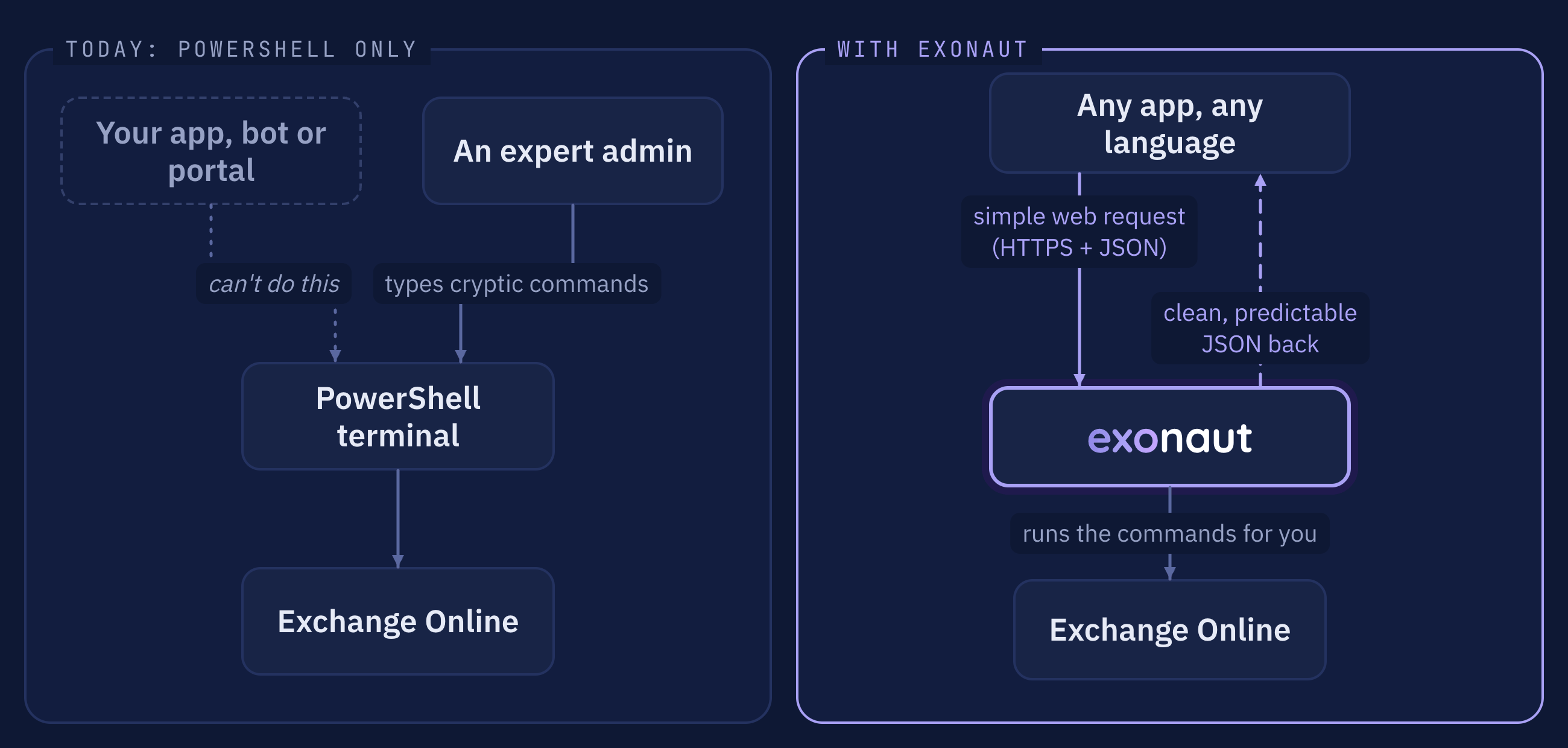
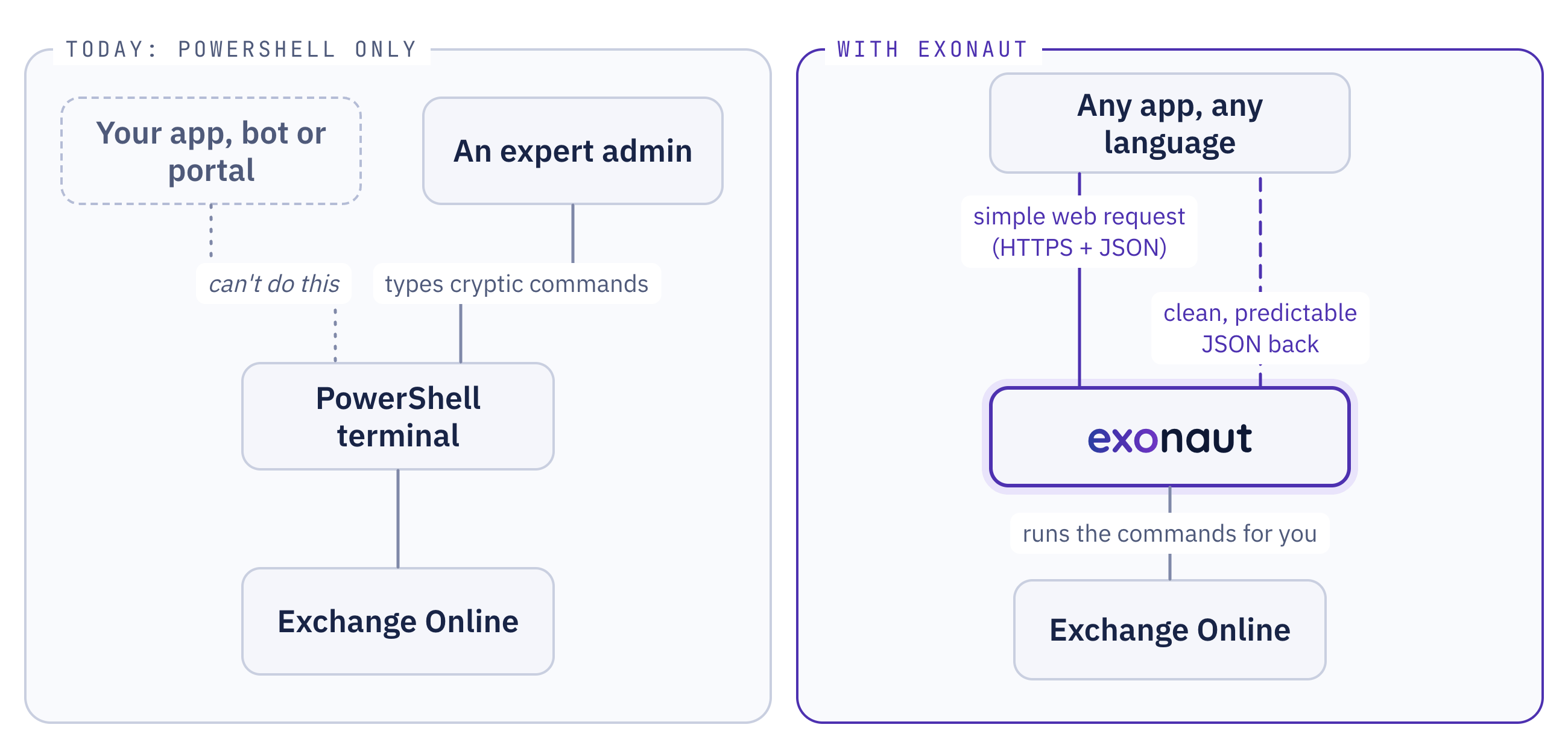
Section titled “The problem, with an analogy”Imagine a giant warehouse holding everything about your company’s email system - every mailbox, distribution list, spam rule, retention policy. Today the only way to operate it is to walk up to one terminal in the back and type cryptic commands, one at a time, in a language called PowerShell:
Connect-ExchangeOnlineGet-Mailbox -Identity [email protected] | Format-ListThat works for an expert at the terminal. It does nothing for a phone app, a company portal or an automated assistant, none of which can type at a terminal. Those speak plain, labelled requests over HTTPS, and nothing else.
Microsoft built a lovely web API for part of this, Microsoft Graph, but it covers only a slice: mostly email content and a handful of settings. Most day-to-day Exchange administration still lives only at that PowerShell terminal.
What this project is
Section titled “What this project is”exonaut is the self-service web counter in front of that warehouse. Any app, in any language, sends a plain web request - “GET me the mailboxes” - and behind the scenes this service walks up to the PowerShell terminal, runs the right commands, cleans up the messy output, and hands back a tidy, predictable result. The app never has to know PowerShell exists.
What it lets you do
Section titled “What it lets you do”- Look things up - “show me all the shared mailboxes”, “who’s in the Sales group”, “trace where this email went”. One web request each.
- Make changes - create a distribution group, add a member, set an out-of-office, change a retention policy, recover a deleted mailbox.
- Build on top of it - clean, stable data means you can power a help-desk tool, an internal portal, an onboarding automation, or a chatbot - without embedding PowerShell in any of them.
Is it safe?
Section titled “Is it safe?”Yes, by design. Every request must prove who it is (a sign-in token), and callers are only allowed to do the specific things they’ve been granted - read mailboxes, say, but not change retention policy. There are 30 narrow permissions instead of one all-powerful key. In production the service itself signs into Exchange Online without a stored secret.